

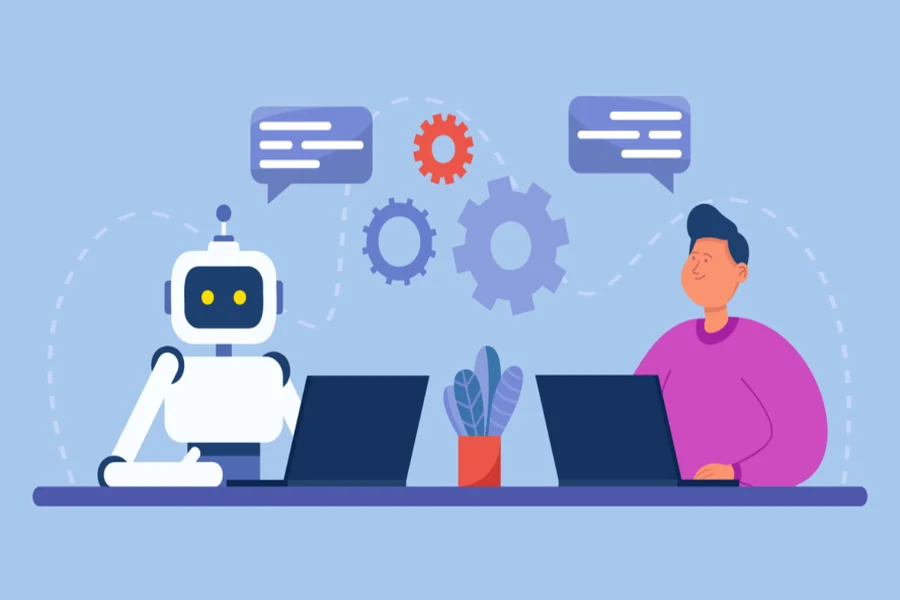
Rolling out an AI personal assistant can reduce calendar chaos, manage email backlogs, and surface the right information when it is needed. The challenge is knowing what to delegate on the first day and what should remain under human review. Starting with a clear decision framework can help you avoid mistakes such as granting excessive permissions or allowing unsupervised outbound messages. This article explains practical early steps, including choosing low risk and high frequency tasks, setting action and data guardrails, measuring outcomes, designing human handoffs, and keeping prompts and knowledge sources current. The goal is not to automate everything, but to automate the right tasks with measurable benefits and limited exposure.
Start With Low Risk, High Frequency Tasks
Begin with tasks where mistakes have limited consequences and the volume of work is high. Calendar availability checks, drafting meeting summaries from recorded calls, and creating reminders from chat commands are practical starting points. These tasks rely on clearly defined inputs, such as calendar feeds and transcript text, and produce contained outputs such as draft events or notes. If you are evaluating tools in this category, review how a platform positions its AI Personal Assistant Software around routine workflows such as email triage, recurring task creation, and quick scheduling rather than complicated negotiations involving several participants.
Consider a sales coordinator who spends 90 minutes each day confirming meeting times across different time zones and adding video conference links. An assistant can review available time slots in Google Calendar or Microsoft 365, suggest three options, and prepare a draft invitation with the location, agenda, and meeting link. During the initial rollout, keep sending permissions disabled so a person still reviews and sends the invitation. This approach preserves much of the time savings while reducing the risk of mistakes involving time zones, holidays, or scheduling preferences.
Set Data and Action Guardrails From Day One
Apply the principle of least privilege when authorizing integrations. During early testing, limit email permissions to read only access, restrict file access to selected folders in Google Drive or OneDrive, and allow customer relationship management systems to display contacts without granting permission to edit opportunities. Require human approval for sensitive actions such as sending external emails, posting messages to large Slack channels, or modifying shared calendars. Clearly defined access boundaries reduce the potential impact of an ambiguous prompt or an instruction that the assistant interprets too broadly.
Two simple controls can significantly improve user trust: a visible audit log and confirmation before sensitive actions. An audit log that records message IDs, calendar event IDs, and relevant system actions allows teams to understand why a draft or record changed. Action confirmations such as “Send this message to vendor@domain.com now?” with the subject line and recipients clearly displayed can help users catch contact mistakes before anything is sent. These safeguards improve confidence without unnecessarily slowing safer automation, such as applying labels to email threads or updating a personal task list.
Measure What the Assistant Actually Changes
Measure outcomes rather than usage alone. For inbox management, track how many messages the assistant correctly identifies for archiving compared with how many users later reclassify. For scheduling, measure the average time from the initial request to creation of a calendar invitation. Add structured feedback options so users can indicate whether a meeting summary is accurate or missing action items, then use that information to improve prompt templates and workflows.
Track meaningful events such as drafts created, drafts edited, approvals granted, and tasks completed so you can understand how people are actually using the assistant. Quantitative measurements become even more useful when paired with short comments that explain mistakes, such as “missed attendee BCC” or “selected the wrong customer record.” These comments can reveal recurring problems in intent recognition, entity extraction, or workflow design that simple usage statistics may not expose.
Design Clear Human Handoffs Using Confidence Thresholds
Set confidence thresholds that determine whether the assistant can act, prepare a draft, or route the task to a person. For email triage, a message confidently identified as a receipt confirmation might be labeled and archived automatically. A vendor follow up with moderate confidence might become a reply draft for human review, while an uncertain legal inquiry should be routed to the appropriate legal contact or queue. Make these thresholds visible and adjustable so teams can balance precision and coverage according to their needs. During an early rollout, favor higher precision to reduce the chance of incorrect automated actions involving important customers or sensitive communications.
Imagine a founder delayed at an airport who asks the assistant to reschedule three consecutive meetings. The assistant can identify suitable times using calendar constraints and travel information, draft a Slack message or email for each attendee, and then pause for approval. This provides speed without removing human control. The assistant handles scheduling calculations and message preparation, while the user has an opportunity to catch a conflict with an important board preparation session before anything is sent. As performance becomes more reliable, some routine rescheduling tasks may be automated while communications involving investors or other sensitive contacts continue to require approval.
Keep the Knowledge Base and Prompts Current
An assistant is only as useful as the information and instructions available to it. Maintain a focused knowledge source containing current standard operating procedures, meeting templates, escalation policies, and product frequently asked questions. Store these documents in a version controlled location so outdated information can be identified and removed. Retrieval augmented generation can help ground meeting summaries in the team’s preferred format and maintain consistent wording for common communications.
Update prompt examples whenever policies or workflows change, and remove outdated examples so the assistant does not continue recommending obsolete processes. Periodically review redacted transcripts, incorrectly classified emails, and failed scheduling attempts to identify patterns that require prompt changes, updated terminology, or improvements to the document collection. Regular maintenance keeps the assistant aligned with how the organization currently works instead of how it worked several months ago.
Common Early Tradeoffs and How to Resolve Them
Every rollout requires balancing automation speed with human oversight. For outbound communication, use a draft first approach until error rates and tone consistency reach an acceptable level. This requires some human review but reduces the risk of inappropriate or inaccurate messages reaching customers, partners, or colleagues. In email management, decide whether precision or broader coverage matters more. Strict filtering reduces the chance of important messages being archived incorrectly, but it leaves more low value email for humans to review. More aggressive filtering saves additional time but increases the chance that useful messages will need to be recovered.
For executive inboxes, starting with stricter rules is generally sensible because the cost of misclassifying an important message can be high. Shared inboxes such as support or information addresses may tolerate broader automation when message types, templates, and service expectations are clearly defined.
Another tradeoff involves data access and privacy. Giving an assistant access to an entire file repository may improve search speed, but it also exposes more personal or confidential information than the assistant may need. Restrict access initially to approved folders and remove unnecessary personal information from stored transcripts or documents when practical. If users later require broader search capabilities, expand access gradually and combine that change with stronger auditing, retention policies, and permission controls. A staged approach allows the organization to gain useful automation while maintaining appropriate boundaries.
Launching an AI personal assistant is less about activating a single feature and more about making a sequence of deliberate decisions. Begin with repetitive and low risk tasks such as scheduling, reminders, and summaries, then surround those workflows with clear permissions and human approval where necessary. Measure practical outcomes such as shorter scheduling cycles, fewer manual inbox actions, and higher quality summaries. Use confidence thresholds to route uncertain work to people, and gradually expand the assistant’s responsibilities as its prompts, knowledge sources, and workflows improve. Over time, the assistant can absorb more routine work while leaving people free to focus on decisions that genuinely require human judgment.







1 thought on “What to Delegate to an AI Personal Assistant First: A Practical Decision Framework”
Comments are closed.