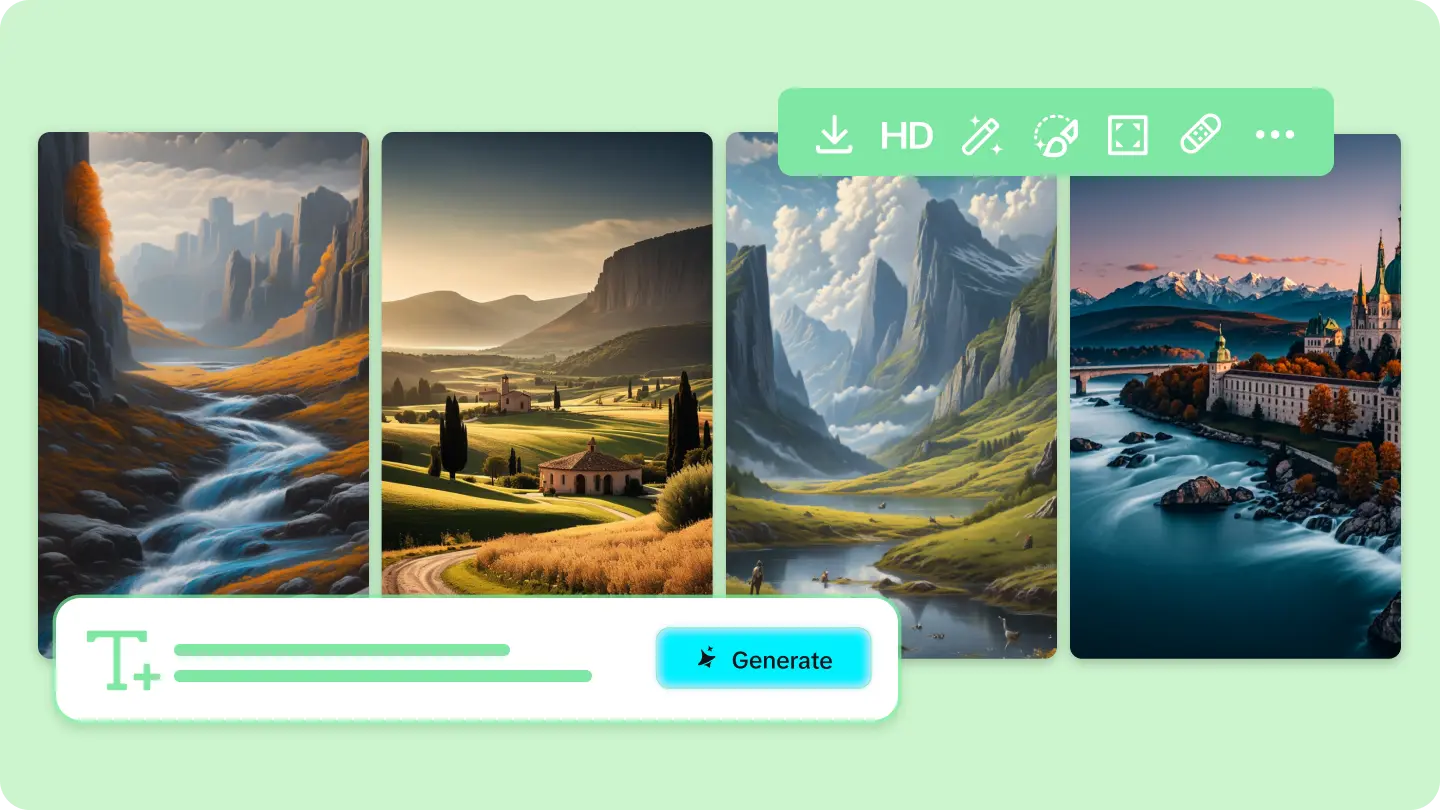
Your own living room rendered as a Van Gogh painting. The corner coffee shop you visit every morning, reimagined as a scene from a Studio Ghibli film. A city street you’ve walked a hundred times, transformed into something out of a cyberpunk future. There’s a particular kind of delight in seeing somewhere genuinely familiar filtered through a completely different visual lens. An AI image generator makes that exact transformation possible, taking a real, recognizable place and reimagining it in a style that has nothing to do with how it actually looks.
Dreamina, running on its most advanced image generation model, Seedream 5.0 Pro, handles this kind of stylistic reinterpretation with real skill, preserving enough of a place’s actual structure and character that it stays recognizable even under a dramatically different artistic treatment. Here’s how to actually pull this off well.
What has to stay the same for a place to stay recognizable
The whole appeal of this technique depends on the location remaining identifiable despite a completely different artistic treatment. That means certain structural elements- the building’s actual shape, distinctive architectural features, the general layout of a room or street- need to carry through even as color, texture, and rendering style change entirely. Losing too many of these anchors and the result stops being “your coffee shop reimagined” and starts being an unrelated, if pretty, illustration.
Choosing a style that says something about the place
Rather than picking an art style at random, it’s worth considering what a particular style might actually reveal or emphasize about the place itself. A cozy, cluttered bookstore might suit a warm, painterly watercolor style beautifully. A sleek modern office might translate compellingly into a minimalist, geometric art style. A lively street market might come alive through a bold, textured impressionist treatment. The right style pairing often feels like it’s amplifying something already true about the place, not just decorating it.
Testing the same place across multiple styles
Once you’ve successfully reimagined one location in a single style, it’s a natural and fun next step to try the exact same place across several different artistic treatments- watercolor, cyberpunk, impressionist- keeping the reference photo and structural details identical while only swapping the style description. Seeing one familiar place refracted through multiple completely different lenses often reveals which style pairing actually resonates most.

Popular style directions worth exploring
A few well-established artistic styles offer particularly striking results when applied to real, familiar locations:
- Studio Ghibli-inspired illustration for warmth and whimsy
- Impressionist painting for texture and atmospheric color
- Cyberpunk or neon-futurism for dramatic reinvention
- Watercolor sketch style for something soft and nostalgic
- Bold pop art for graphic, high-contrast personality
Your 3-step reimagining with Dreamina
Once you’ve chosen your location and style pairing, here’s exactly how to bring the transformation to life.
Step 1: Write a text prompt and/or add a reference image
Navigate to Dreamina and write a detailed text prompt describing a person dressed appropriately for the scene if your composition includes a figure, along with the real location’s key structural details and your chosen artistic style. Upload a reference photo of the actual place so Dreamina has the real architecture and layout to preserve throughout the stylistic transformation.
A solid sample prompt might read: A cozy neighborhood coffee shop with large front windows and string lights, reimagined in a whimsical Studio Ghibli-inspired illustration style, warm hand-painted colors, soft magical afternoon light, gentle painterly texture throughout.
Referencing the location’s actual distinguishing features alongside the art style is what keeps the place recognizable within the new aesthetic.
Step 2: Adjust parameters and generate
Before generating, set your parameters. Choose Image 5.0 Pro, powered by Seedream 5.0 Pro, as your model, then select your aspect ratio, image size, and resolution, matching your original reference photo’s framing where possible, and using 2K resolution to preserve fine stylistic texture and detail. Click Dreamina’s generate icon to bring the reimagined version of your familiar place into view.
Step 3: Customize and download
Once your image generates, compare it against the real location to check that its recognizable features carried through, then use Dreamina’s AI customization tools to refine it — inpaint to reinforce a structural detail that got lost in translation, expand to reveal more of the surrounding scene, remove to eliminate anything that clashes with the chosen style, and retouch to strengthen the overall artistic treatment. When it feels both familiar and genuinely transformed, click the Download icon to save it.
Meet Seedream 5.0 Pro
A handful of Seedream 5.0 Pro’s specific capabilities make this exact kind of stylistic reinterpretation genuinely reliable.
Deep reasoning generation
Deep reasoning generation analyzes your prompt’s structural relationships and stylistic intent before producing an image, helping the location’s real architecture and layout carry through consistently even under a dramatically different visual treatment.
Pinpoint precision editing
With point selection, lasso, sketch guidance, and regional controls, pinpoint precision editing lets you reinforce a specific structural detail that needs to stay recognizable within the new artistic style.
Multi-layer visual control
Multi-layer visual control separates the location’s structure from its stylistic surface treatment, making it easier to preserve architectural accuracy while experimenting freely with color, texture, and rendering style.
2K output quality
Since artistic styles often depend on fine textural detail, brushstrokes, grain, linework, to read convincingly, 2K output quality ensures that detail stays crisp rather than flattening into something generic.
Sharing the transformation alongside the original
Part of what makes this technique so engaging is the direct comparison between the real place and its reimagined version. Sharing both images together, side by side, lets viewers appreciate exactly how much familiar structure survived the transformation, and often sparks genuine delight at recognizing their own neighborhood spot rendered in a completely unexpected style.
Final thoughts
A place you walk past every day still has room to surprise you, once it’s been filtered through a genuinely different artistic lens, and the right AI image generator makes that reinvention both easy and genuinely convincing.
With Dreamina and its advanced Seedream 5.0 Pro model, a familiar coffee shop, street, or room can become something entirely new to look at while still, unmistakably, being itself.
Choose a style that says something about the place, keep its key details intact, and let Dreamina show you your own world through a completely different lens.