

A reliable wireless network has become an essential part of modern business operations, supporting employees, visitors, connected devices, cloud applications, communication platforms, and many other digital services. As organizations become increasingly dependent on wireless connectivity, basic consumer-grade networking equipment may not provide the performance, security, scalability, and management capabilities required in a professional environment. A well-designed wireless infrastructure should be capable of handling many users and devices while maintaining consistent performance throughout the property. It should also provide strong security controls, centralized management, dependable coverage, and the ability to expand as business requirements change. An enterprise wifi solution can provide the foundation needed to support these demands by combining advanced access points, network management, authentication, monitoring, and security features into a coordinated wireless environment designed for professional use.
Assess Network Requirements Before Deployment
The first step in creating an effective wireless network is understanding how the organization actually uses connectivity. Businesses should evaluate the number of employees, expected visitors, connected devices, applications, workspaces, meeting areas, and other locations that depend on wireless access. Different departments may have different bandwidth requirements, while applications such as video conferencing, cloud-based software, file transfers, and voice communication may require stable and responsive connections. Organizations should also consider future growth rather than designing a network only around current usage. An enterprise wifi deployment should be based on realistic capacity requirements and expected changes in user and device numbers. Careful planning at this stage can reduce coverage problems, performance bottlenecks, and expensive redesigns later.
Conduct a Detailed Wireless Site Survey
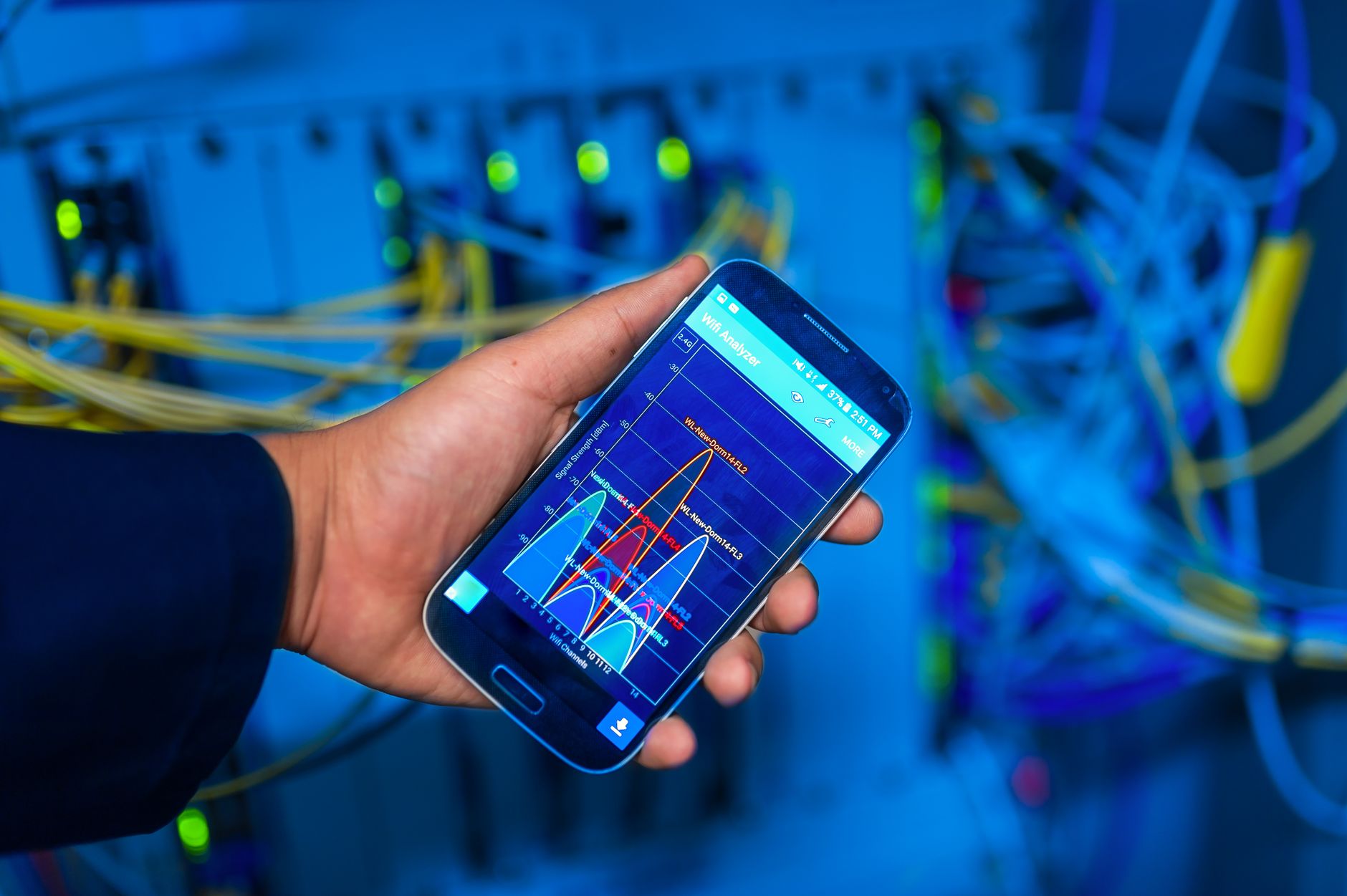
A wireless site survey can provide valuable information about signal strength, interference, physical obstructions, channel usage, and potential coverage gaps. Building materials such as concrete, metal, glass, and dense walls can affect how wireless signals travel throughout a property. Electronic equipment and neighboring networks may also create interference that reduces performance. A professional survey can help determine where access points should be positioned and how many devices may be required to provide appropriate coverage. Simply installing access points at evenly spaced locations does not necessarily produce a strong network because wireless performance depends on many environmental factors. A detailed assessment provides a stronger foundation for designing a network that delivers consistent connectivity across important work areas.
Select High-Quality Wireless Equipment
The hardware used in a business wireless network has a direct effect on performance, reliability, and scalability. Organizations should consider access points, switches, controllers, gateways, antennas, and other equipment based on expected user density and application requirements. Modern access points can support advanced wireless standards and technologies designed to improve performance when many devices are connected simultaneously. Equipment should also be compatible with centralized management systems and security controls. Businesses should avoid selecting hardware solely because it has a high advertised speed, since real-world performance depends on factors such as device capabilities, interference, signal strength, network configuration, and user density. Choosing reliable equipment that can grow with the organization can provide better long-term value than selecting hardware based only on initial cost.
Design for Capacity and User Density
Wireless coverage is important, but coverage alone does not guarantee a good user experience. A network may provide strong signal strength while still becoming slow or unreliable when too many users connect to the same access point. Businesses should therefore consider user density, device types, application traffic, and peak usage periods when designing the network. Conference rooms, training spaces, reception areas, cafeterias, and other high-density locations may require additional planning because many devices can connect simultaneously. Capacity planning should also account for wireless printers, scanners, cameras, sensors, phones, laptops, tablets, and other connected equipment. Designing for capacity helps prevent congestion and provides more consistent performance as the number of connected devices increases.
Implement Strong Wireless Security
Security should be a fundamental part of any business wireless network. Organizations need to prevent unauthorized users from gaining access to internal resources and sensitive information. Strong authentication, encryption, access controls, and network segmentation can help reduce security risks. Employee devices should be separated from guest devices and other equipment whenever practical so that access to sensitive resources is limited. Businesses should also establish policies governing who can connect to the network and what resources different users are permitted to access. An enterprise wifi environment can support advanced authentication and security features that provide greater control than many basic wireless systems. Security settings should be reviewed regularly to ensure that they continue to meet organizational requirements.
Create Separate Network Segments
Network segmentation can improve both security and management by separating different categories of users and devices. Employees may require access to internal applications and shared resources, while visitors may only need internet connectivity. Internet-of-Things devices, security equipment, printers, and other specialized hardware may also benefit from being placed on separate network segments. Segmentation can reduce the potential impact of a compromised device by limiting its ability to communicate with sensitive systems. Access policies can then be applied according to the role and purpose of each network segment. A well-planned segmentation strategy helps organizations maintain better control over network traffic while supporting different connectivity requirements within the same physical environment.
Optimize Access Point Placement
Access point placement can significantly influence wireless performance. Devices should be positioned to provide appropriate coverage without creating excessive overlap or unnecessary interference. High-traffic areas may require additional access points, while low-use spaces may need less capacity. Access points should also be mounted in suitable locations that provide effective signal propagation and protect the equipment from accidental damage. Placement should account for walls, furniture, equipment, ceiling structures, and other physical obstacles. After installation, network administrators should review performance data and make adjustments if users experience weak signals or congestion. Proper placement is not simply about maximizing signal strength; it is about creating a balanced wireless environment where users and devices can connect reliably throughout the areas that matter most.
Manage Wireless Channels Effectively
Wireless networks operate across shared radio frequencies, which means channel planning is important for maintaining performance. Nearby access points can interfere with each other when their configurations are not properly coordinated. External networks and electronic equipment can also contribute to congestion. Modern wireless systems may provide automatic channel management, but administrators should still monitor the environment and investigate persistent interference. Channel selection should be based on the wireless standards being used, access point density, device capabilities, and local radio-frequency conditions. Regular monitoring can help identify changes in the wireless environment that may affect performance. Effective channel management reduces unnecessary interference and can help connected devices maintain more stable communication.
Prioritize Important Applications
Not all network traffic has the same requirements. Voice communication, video conferencing, real-time collaboration, and other latency-sensitive applications may require more consistent performance than routine web browsing or background file synchronization. Quality-of-service policies can help prioritize important traffic so that critical applications remain responsive during periods of heavy usage. Organizations should identify which applications are essential to daily operations and configure the network accordingly. Bandwidth management can also prevent individual devices or services from consuming disproportionate amounts of available capacity. Prioritizing traffic does not increase the total bandwidth available, but it can improve how available resources are distributed. A properly configured wireless network should support business-critical applications even when demand changes throughout the day.
Support Mobile and Remote Workflows
Many organizations rely on employees moving between workspaces while remaining connected to wireless services. A well-designed network should support smooth transitions between access points and minimize disruptions as users move throughout the property. Mobile devices, laptops, tablets, wireless phones, scanners, and other equipment may depend on continuous connectivity. Organizations should test roaming behavior in areas where employees frequently move between access points. Authentication settings and access point configurations should work together to support consistent user experiences. Mobile workflows can be particularly important in environments where employees need to access cloud applications or internal systems while moving between offices, meeting rooms, production areas, or other workspaces. Reliable roaming can improve productivity and reduce interruptions.
Use Centralized Network Management
Centralized management can simplify the administration of a large wireless environment. Instead of configuring each access point individually, network administrators can use centralized platforms to manage settings, monitor performance, deploy updates, and identify problems. Centralized dashboards can provide information about connected devices, bandwidth usage, signal quality, access point health, and potential security issues. Administrators can also apply consistent policies across multiple wireless devices. An enterprise wifi infrastructure is generally easier to maintain when equipment can be monitored and managed through an organized system. Centralized management can reduce administrative effort and make it easier to identify performance problems before they significantly affect users.
Monitor Network Performance Continuously
Network monitoring should continue after deployment because wireless conditions can change over time. New devices, neighboring networks, office renovations, furniture changes, equipment relocation, and increased user demand can all affect performance. Administrators should monitor signal quality, connection failures, bandwidth usage, device counts, latency, and other relevant indicators. Performance data can help identify areas where additional capacity or configuration changes may be necessary. Monitoring can also reveal failing hardware or unusual traffic patterns that could indicate technical or security problems. Regular analysis allows organizations to make informed decisions instead of waiting for employees to report connectivity issues. Proactive monitoring supports better reliability and helps maintain a consistent user experience.
Plan for Redundancy and Reliability
Business networks should be designed with reliability in mind because connectivity interruptions can affect communication, productivity, customer service, and access to important applications. Critical network equipment may require backup power, redundant connections, or other measures designed to reduce the impact of individual equipment failures. Organizations should identify which network components are most critical and determine how they can remain operational during unexpected problems. Backup configurations should also be tested periodically rather than simply assumed to work. Redundancy does not mean that every component must have an identical replacement, but critical dependencies should be evaluated carefully. Building resilience into the wireless infrastructure can reduce downtime and provide greater continuity when unexpected failures occur.
Keep Firmware and Software Updated
Wireless equipment manufacturers regularly release firmware and software updates that may improve performance, fix bugs, add features, or address security vulnerabilities. Organizations should maintain a structured update process to ensure that networking equipment remains supported and secure. Updates should be tested appropriately before broad deployment when the environment is especially critical. Administrators should also maintain records of equipment versions and support status so that outdated hardware can be identified before it becomes a major problem. Software updates should not be treated as optional because unpatched equipment may contain known vulnerabilities. A regular maintenance schedule helps keep the wireless environment secure, stable, and compatible with evolving business requirements.
Prepare for Future Growth
A wireless network should be designed with future requirements in mind rather than focusing exclusively on current usage. The number of connected devices continues to increase as businesses adopt cloud services, smart equipment, sensors, wireless collaboration tools, and other technologies. Organizations may also add employees, expand workspaces, or introduce new applications that require additional bandwidth. Designing with spare capacity can reduce the need for major infrastructure changes when demand increases. Network equipment should ideally support future standards and provide flexible management options. Scalability is especially important for growing organizations because replacing an entire wireless infrastructure can be costly and disruptive. Forward-looking planning allows the network to evolve as business requirements change.
Establish Strong Access Policies
Technical controls should be supported by clear organizational policies. Businesses should define who can access wireless networks, what authentication methods are required, how guest access is handled, and what devices are permitted. Employees should understand the importance of protecting passwords and reporting suspicious activity. Former employees and inactive accounts should have access removed promptly. Guest credentials should be managed separately from internal accounts whenever possible. Device security should also be considered because compromised laptops, phones, or other endpoints can create risks even when the wireless infrastructure itself is properly secured. Combining technical controls with clear policies creates a more comprehensive approach to wireless security and helps establish responsible network usage throughout the organization.
Work With Experienced Professionals
Designing and deploying a business wireless network can involve complex considerations involving radio-frequency behavior, network architecture, security, capacity planning, switching, authentication, and ongoing monitoring. Experienced professionals can evaluate the environment, perform site surveys, recommend suitable equipment, configure network policies, optimize access point placement, and test the completed deployment. Professional assistance can be particularly valuable when the network supports many users, critical applications, or sensitive business information. An experienced team can also provide documentation and maintenance recommendations so that internal administrators can manage the environment more effectively. Professional planning reduces the likelihood of costly design mistakes and can provide a stronger foundation for long-term network performance.
Maintain and Review the Network Regularly
Wireless networking should be treated as an ongoing infrastructure investment rather than a one-time installation. Administrators should periodically review coverage, capacity, security settings, equipment health, firmware versions, connected devices, and user requirements. Changes to office layouts or business operations may require access points to be repositioned or additional capacity to be added. Regular reviews can also identify equipment that has reached the end of its useful life or no longer supports current security standards. An enterprise wifi network performs best when it is continuously monitored, maintained, and adjusted according to changing requirements. Consistent management helps organizations avoid unexpected performance problems and keeps the network aligned with operational goals.
Final Thoughts
Building a reliable business wireless network requires much more than installing several access points and connecting them to an internet service. Organizations should begin with a detailed assessment of their requirements, followed by site surveying, capacity planning, equipment selection, security design, access point placement, and performance testing. Strong authentication, network segmentation, centralized management, monitoring, redundancy, and regular updates all contribute to a dependable wireless environment. An enterprise wifi solution can provide the scalability, control, and performance needed to support modern business operations when it is properly planned and maintained. Organizations should also review their network regularly as user numbers, applications, devices, and security requirements evolve. With thoughtful design and ongoing management, a professional wireless infrastructure can provide consistent connectivity, stronger security, improved productivity, and a solid foundation for future digital growth.









1 thought on “The Ultimate Guide to Building a Reliable, Secure, and High-Performance Business Wireless Network”
Comments are closed.