

There's a good chance thousands of photos are sitting untouched in a camera roll right now — vacation shots, product pictures, old family portraits, screenshots of art that never went anywhere. Most of them stay exactly as they are: flat, still, scrolled past. Turning even a handful of those into short videos changes that completely, and it's become one of the easiest wins in content creation this year.
That's the appeal behind image to video technology. Instead of filming something new from scratch, an existing photo becomes the raw material, and a tool like the free seedance video generator does the work of adding motion to it. No camera, no lighting setup, no editing timeline — just a photo going in and a short clip coming out.
The Problem With Filming Everything From Scratch
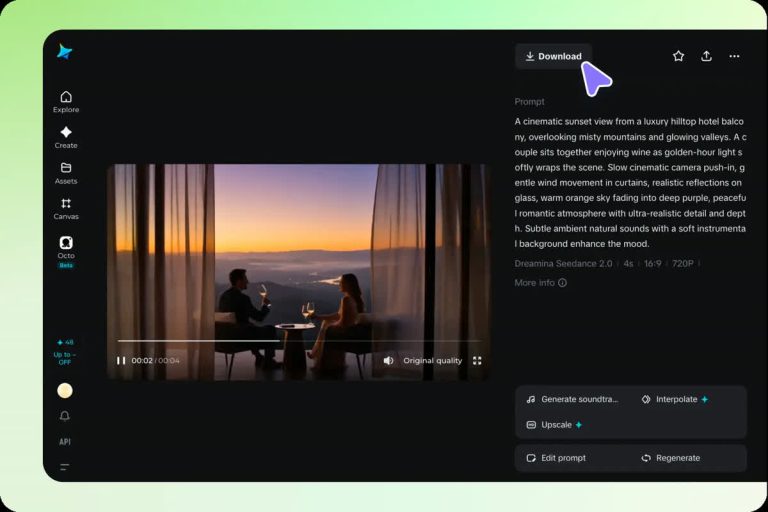
Traditional video takes time. A single ten-second clip for a product page or a social post can mean setting up a camera, adjusting lighting, filming multiple takes, and editing the footage down afterward. For a lot of everyday content — a coffee mug on a table, a sunset from a hotel balcony, a pet curled up on a couch — that whole process feels like overkill.
Photos, on the other hand, get taken constantly and without effort. The gap between "a decent photo" and "a piece of video content" used to be a real barrier. Closing that gap without needing an actual camera roll of video footage is exactly what changed.
From Editing Timelines to a Single Upload
Older methods of animating a photo — the kind used for slideshow videos or basic pan-and-zoom effects — just moved the camera around a still image. It looked like a slideshow because, technically, it was one.
What's different now is that the photo itself gets analyzed. The AI reads the depth, the edges, the lighting, and figures out what realistic movement would look like inside that specific scene: leaves shifting, hair swaying, water catching light differently as it moves. That's a meaningful jump from a camera panning over a flat image to something that looks like it was filmed in motion to begin with.
The technology, without the jargon
At its core, the system predicts a sequence of frames that logically follow from the starting photo. It's similar to how a person might imagine what happens one second after a photo was taken — except the AI generates that "next second" visually, frame by frame, then stitches it into a short clip.
How to Actually Try This
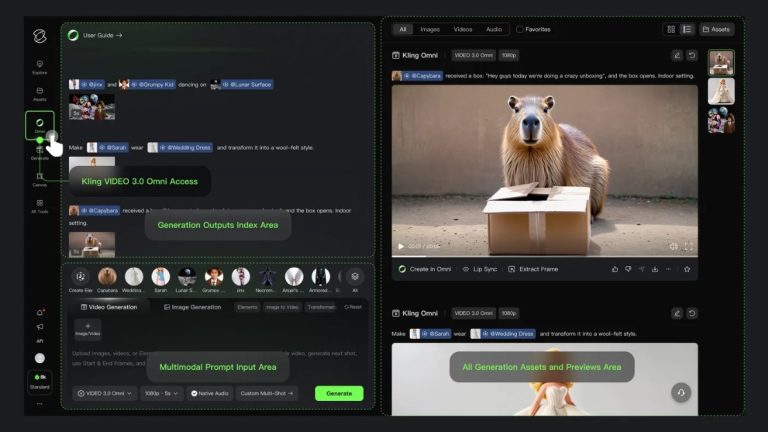
Getting a result doesn't require reading a manual. Head over to image to video, upload a photo, and let it process. Within a short wait, a moving version of that same photo comes back. From there, small adjustments — how strong the motion is, which direction it flows, how long the clip runs — shape the final result.
Because there's little cost to experimenting, it's worth running the same photo through a couple of times with different settings before settling on one. The difference between a decent result and a great one is often just a second attempt.
Where This Actually Gets Used
This isn't limited to one type of content. A few places it shows up regularly:
Online stores. A product photo that gently rotates or catches light differently draws more attention than a flat image sitting next to a price tag, without the cost of a video shoot.
Everyday social posts. A photo from a trip or an event feels more current and shareable once it moves, especially on platforms where video is pushed harder than static images.
Preserving memories. Faded, decades-old family photos get a second life as short clips, which has become a genuinely emotional use case for a lot of people revisiting pictures of relatives.
Design and art previews. Illustrators and designers use motion versions of their work to show clients or audiences how a concept might feel animated, without building a full animation first.
Mistakes Worth Avoiding
A few things tend to trip people up the first time:
- Using a low-resolution photo. The output can only be as sharp as what went in, so a blurry or heavily compressed image usually produces a blurry clip.
- Overcrowded scenes. A photo with too many small details or overlapping objects can confuse the motion prediction, leading to odd artifacts.
- Pushing the motion too far. Strong, dramatic movement settings can look impressive in theory but often break the illusion faster than subtle motion does.
- Skipping the preview. Most tools allow a quick look before the final render — skipping that step means missing a chance to catch an odd result early.
Is It Actually a Replacement for Filming?
Not entirely, and that's worth being honest about. A real video shoot still wins for anything requiring precise action, dialogue, or a specific performance. But for a huge amount of everyday content — the kind that just needs to feel alive rather than tell a complex story — this covers the gap completely, and does it in a fraction of the time.
That's really the shift worth paying attention to. It's not about replacing cameras or filmmakers. It's about giving every existing photo a second option: stay still, or move.
A Quick Way to Test the Idea
Instead of thinking about this abstractly, picking one photo already on hand and running it through a converter tends to make the whole idea click immediately. The gap between "a photo" and "a video" turns out to be a lot smaller than it seems — sometimes just a single click smaller.





1 thought on “The Fastest Way to Add Motion to Any Photo Already Sitting on a Phone”
Comments are closed.